Changelog
Get the latest updates and improvements to ControlCom Connect.
September 28, 2026
Operator Rounds & Generator
This update covers everything released in ControlCom Connect since August 4. The largest additions are Operator Rounds for recording manual readings, a Generator Event Report for documenting outages and FEMA claims, and a weekly digest of...
Read moreAugust 4, 2026
Smart HMI & Weather Metrics
This update to ControlCom Connect brings environmental context to your data and more powerful tools for managing your HMI and SCADA workflows. From weather overlays on your graphs to advanced duplication tools, plant managers and...
Read moreJuly 22, 2026
Gateway OS & Secure Login
Gateway OS & Edge Management ControlCom Connect now includes a significantly upgraded Gateway OS interface, providing plant managers and integrators with more direct control over edge hardware for remote monitoring. This update simplifies...
Read moreJuly 4, 2026
AI Assistant & Alarm Replay
This update to ControlCom Connect introduces smarter ways to interact with your industrial data and simulate system behavior. From AI-driven assistance to advanced alarm simulation, these tools are built to help plant managers and...
Read moreJune 30, 2026
Diagrams light & dark mode
Hierarchical HMI and Diagrams Building complex visual interfaces for water/wastewater or manufacturing sites is faster with new reusable structures and logic tools in the HMI editor. Nested Diagram Instances: Create reusable diagram...
Read moreJune 15, 2026
Global Search & New Reports
Finding the data you need and managing large-scale equipment fleets is now much faster in ControlCom Connect. This update introduces platform-wide search, deeper asset reporting, and expanded hardware support for industrial monitoring...
Read moreJune 4, 2026
Enhanced Alarm Management
This update to ControlCom Connect introduces advanced workflows for managing industrial alerts and more ways to share your data. Plant managers and integrators can now coordinate faster response times through dedicated alarm assignments...
Read moreMay 14, 2026
Device Templates for Faster Fleet Management
Managing a large fleet of field sensors just got simpler. We have overhauled how device data is organized within ControlCom Connect, making it easier for integrators to scale their monitoring systems while maintaining data integrity across...
Read moreMay 6, 2026
Device Diagnostics and Security Enhancements
Managing your industrial hardware and facility data is now more transparent. This update to ControlCom Connect brings better diagnostic tools for field devices, enhanced security for large teams, and smarter ways to anticipate system...
Read moreMay 1, 2026
Predictive Monitoring With Anomaly Detection
This update to ControlCom Connect introduces smarter ways to monitor your industrial assets and faster tools to design your HMI screens. From spotting unusual data patterns automatically to streamlining how you edit complex system...
Read moreApril 23, 2026
Expanded API and Improved Diagram Controls
ControlCom Connect continues to evolve as a flexible hub for industrial monitoring and analytics. This latest update focuses on providing integrators with more powerful tools to customize the platform and gives operators more granular...
Read moreApril 16, 2026
Find and Replace + Radial Cards in the Diagram Editor
Building complex HMI screens for your industrial systems just got much faster. The latest update to ControlCom Connect focuses on reducing the manual work required to build and maintain detailed system diagrams, especially when managing...
Read moreApril 15, 2026
Asset Hierarchies and Relationships for Facilities
Managing complex industrial environments requires more than just a list of devices. ControlCom Connect now provides deeper organizational tools to help you map your digital twin to your physical facility more accurately. Organize with...
Read moreApril 12, 2026
Interactive HMI Screens and Asset Management
This update for ControlCom Connect introduces interactive controls to your system diagrams and provides better tools for managing your facility hierarchy. Whether you are an integrator setting up a new site or a plant manager cleaning up...
Read moreApril 11, 2026
Data Explorer: Faster Analysis and Sharing
The ControlCom Connect Data Explorer just got a major upgrade, making it faster to analyze your industrial data and easier to share insights with your team. Here's what's new: Faster, Smoother Experience We've significantly improved the...
Read moreMarch 20, 2026
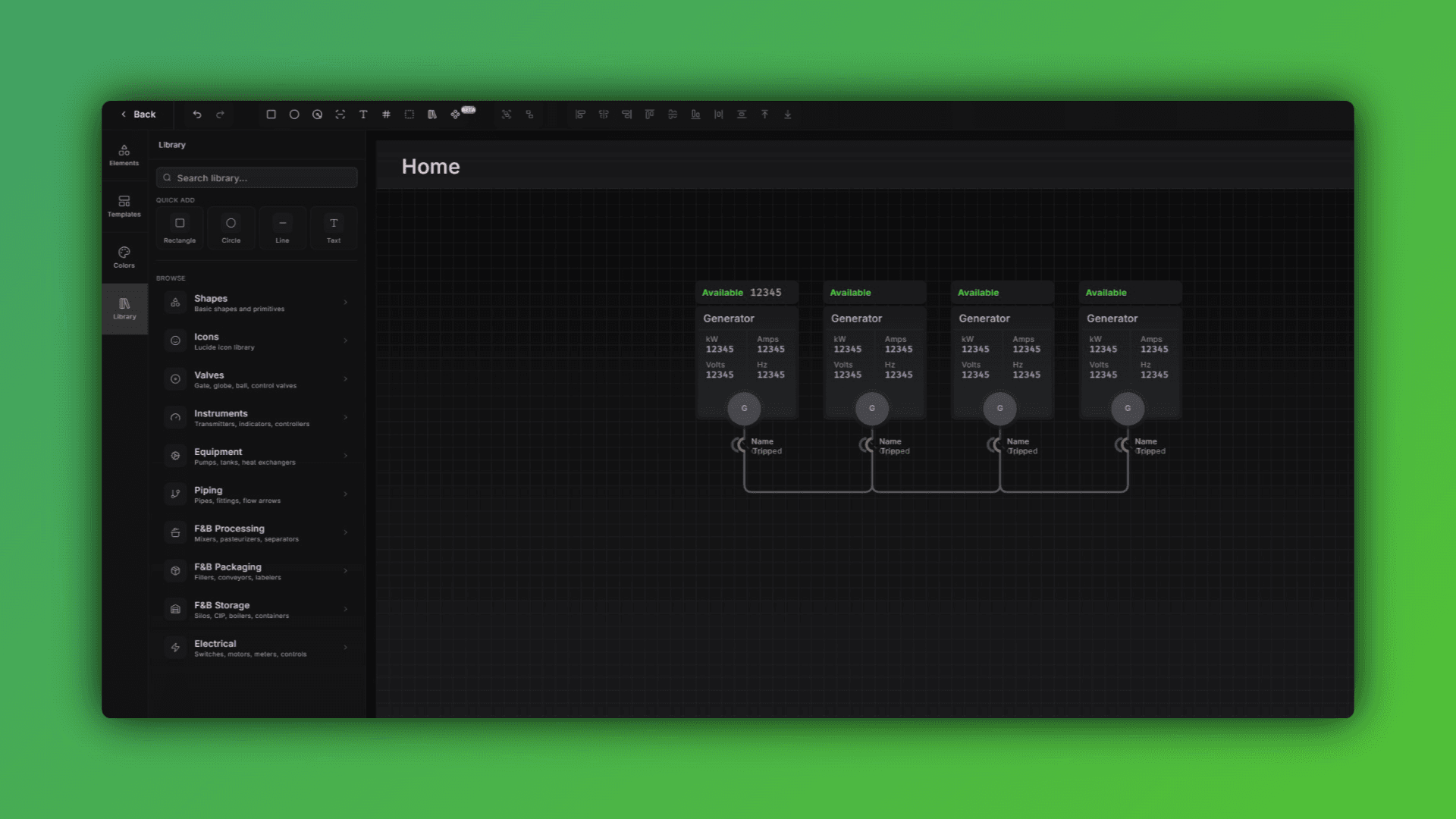
Diagram Editor: Faster Performance and In-Diagram Graphs
What's New in the Diagram Editor If you're building out system diagrams for large facilities or complex IIoT architectures, this update is going to make that work noticeably faster and more flexible. Here's what changed: Performance...
February 27, 2026
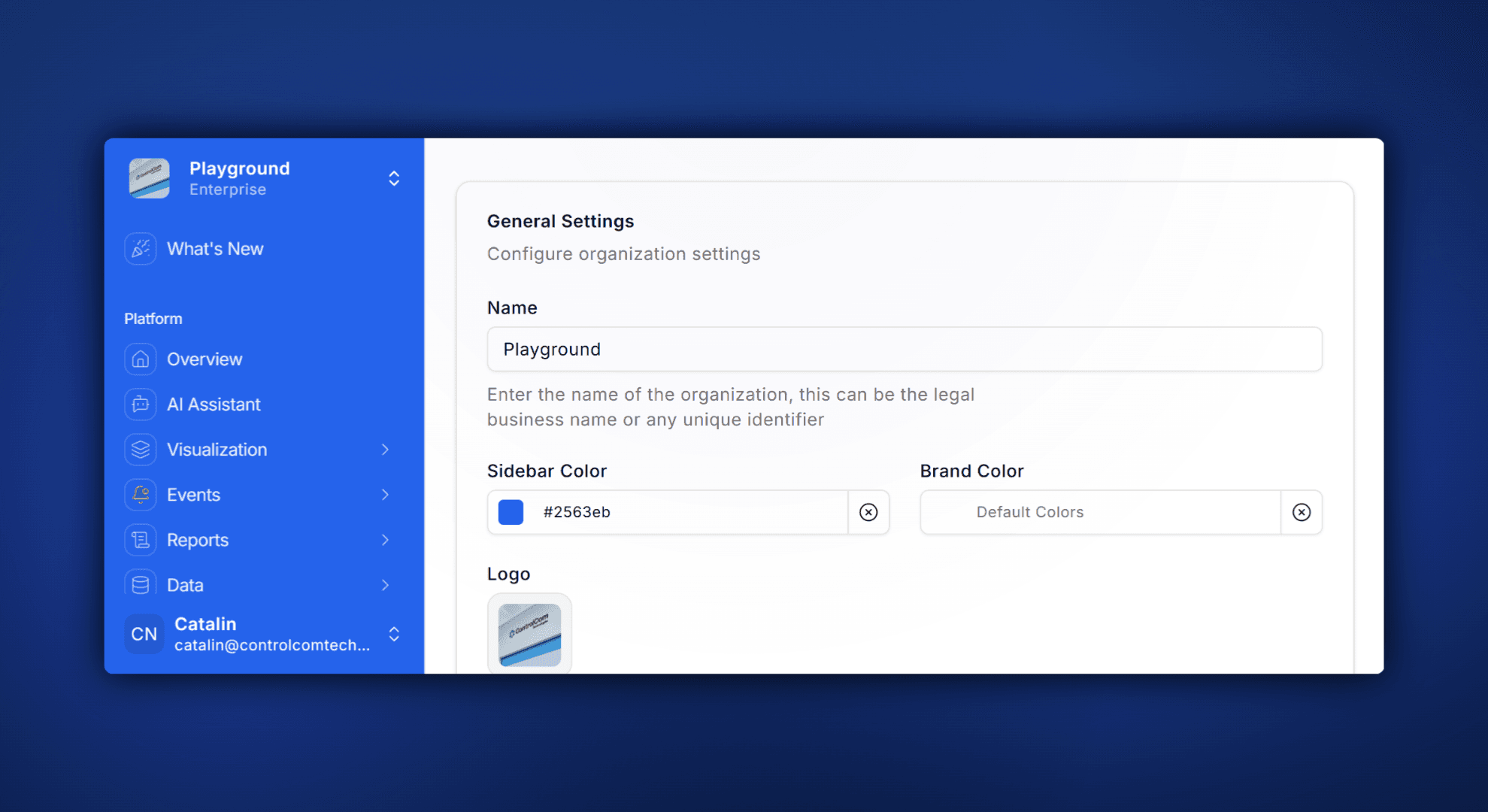
Custom Branding: Sidebar Colors and Logo Uploads
What's New ControlCom Connect now lets you put your own brand on the platform. Upload a custom logo, pick your sidebar color, and give your team (or your customers) a monitoring experience that looks and feels like yours. This is...
February 12, 2026
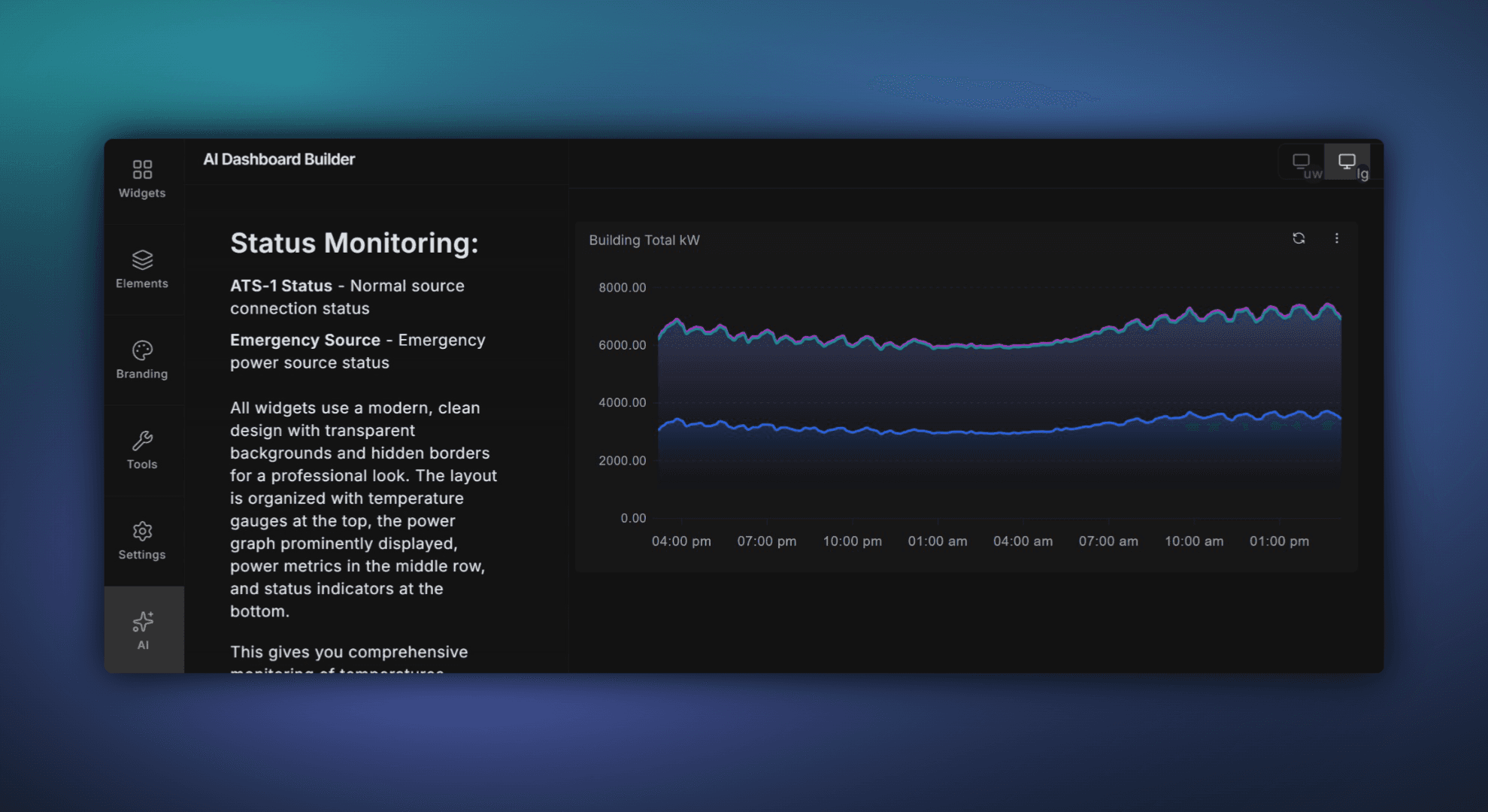
Build Dashboards Faster With the AI Dashboard Builder
Build Dashboards Faster with ControlCom Connect's AI Dashboard Builder Building dashboards in ControlCom Connect just got a whole lot faster. The new AI Dashboard Builder lets you describe what you want to see — in plain language — and...
January 15, 2026
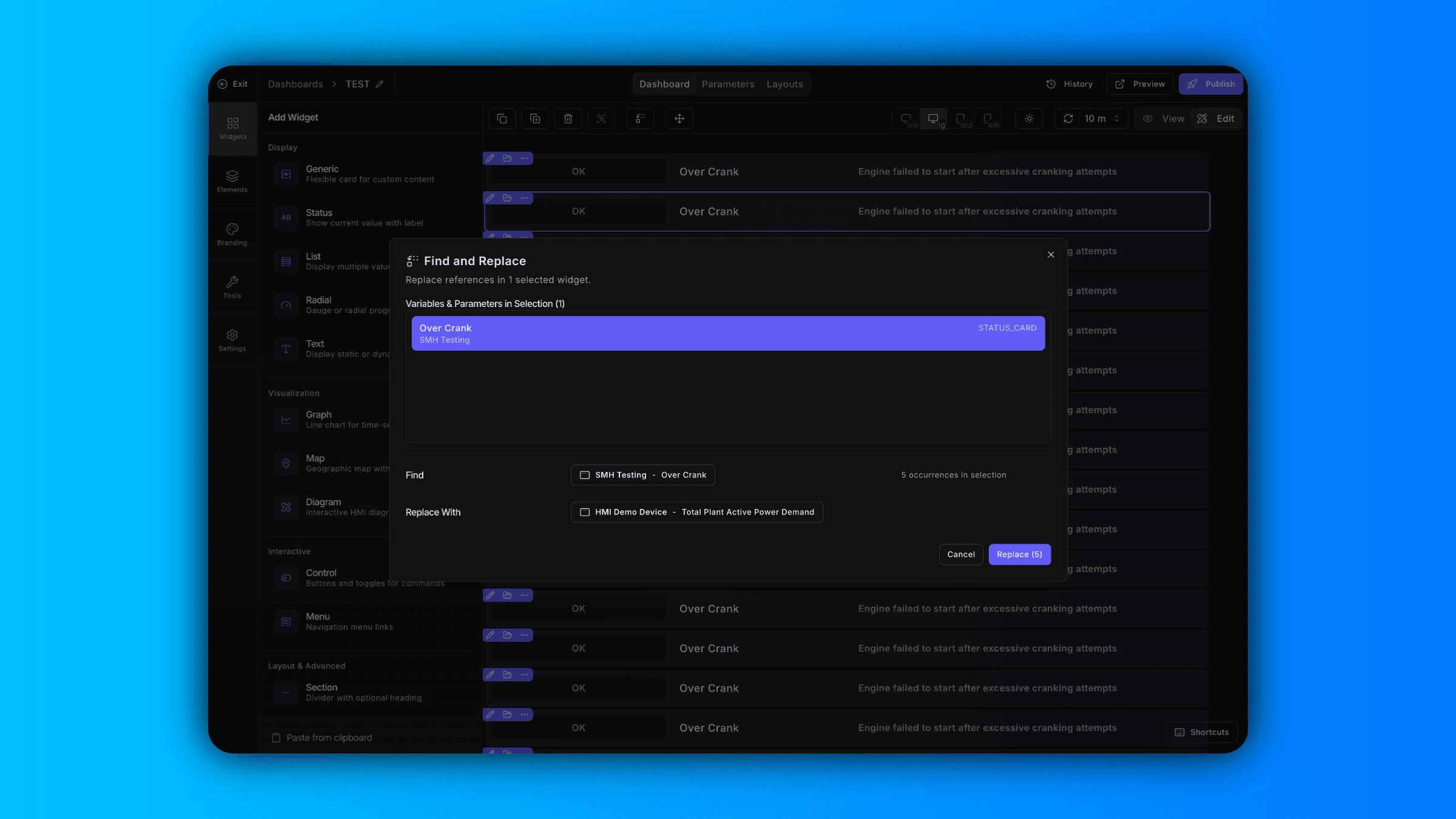
Bulk Variable Replacement and a New Text Widget
Find and Replace Variables Across Your Dashboard Updating variables one widget at a time slows you down. Now in ControlCom Connect, you can find and replace variables in bulk directly from the dashboard editor. Select specific widgets to...
January 9, 2026
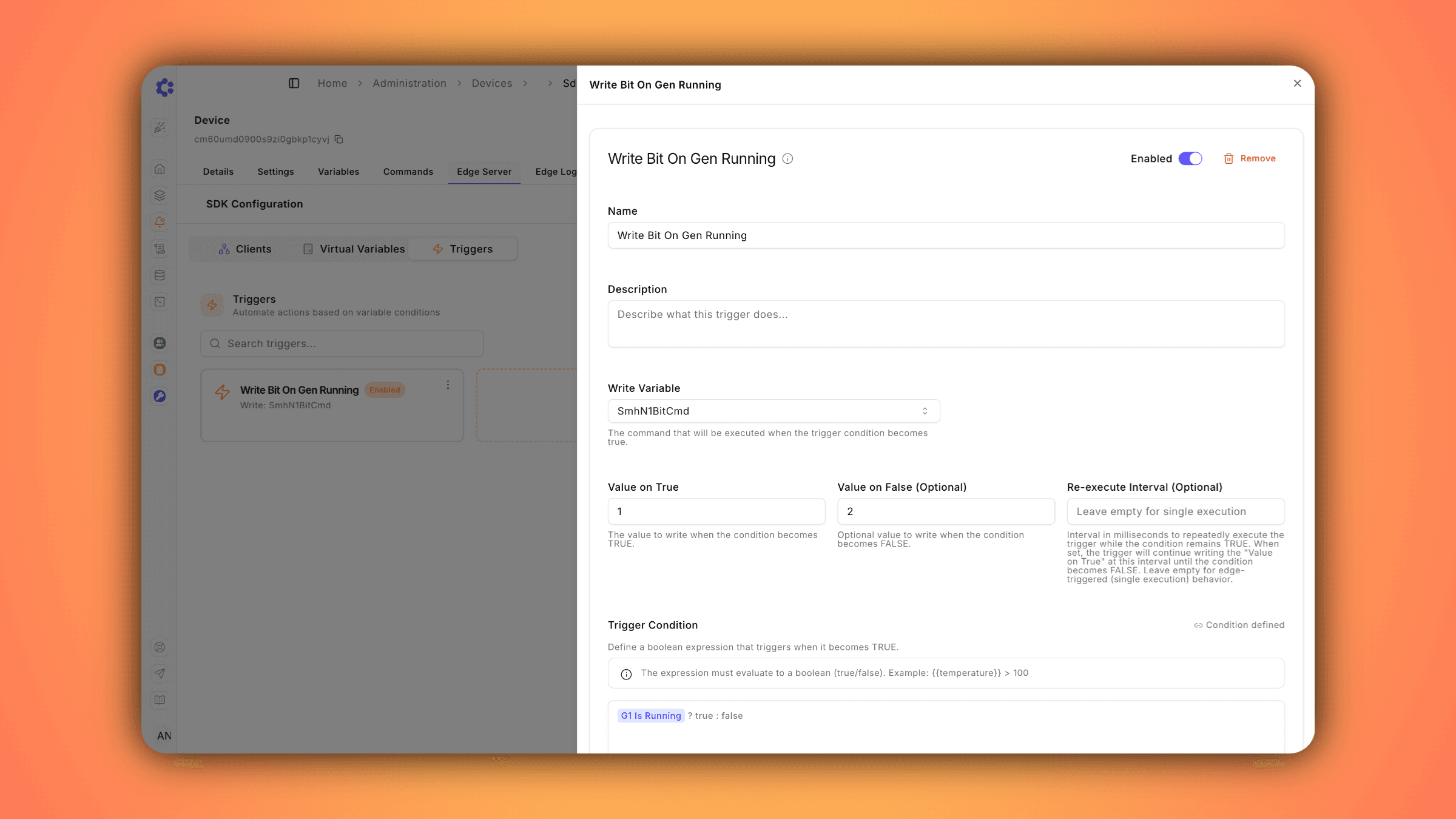
Edge Server v2.8.0: Real-Time Automation Triggers
Introducing Triggers: Edge-Based Automation for Real-Time Control We're excited to announce Triggers, a powerful new Edge Server capability that enables automated command execution based on real-time device conditions—without requiring...
December 29, 2025
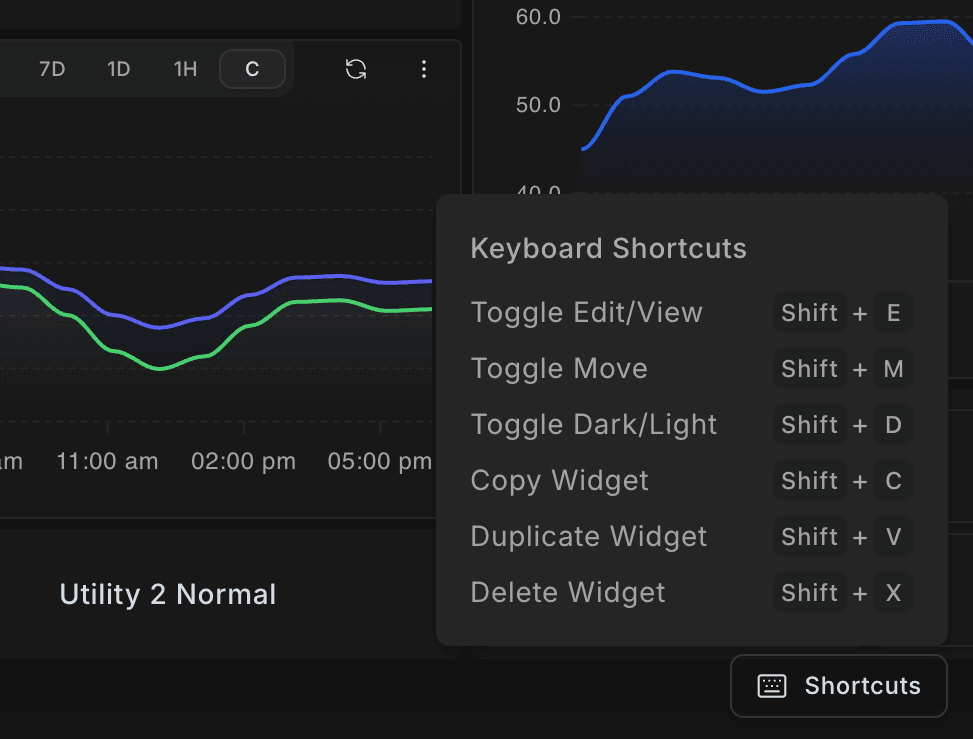
Faster Dashboard Editing with Keyboard Shortcuts
What's New Building dashboards in ControlCom Connect just got faster. This update brings keyboard shortcuts, multi-widget selection, and smoother navigation to the dashboard editor. Keyboard Shortcuts New keyboard shortcuts let you switch...
December 27, 2025
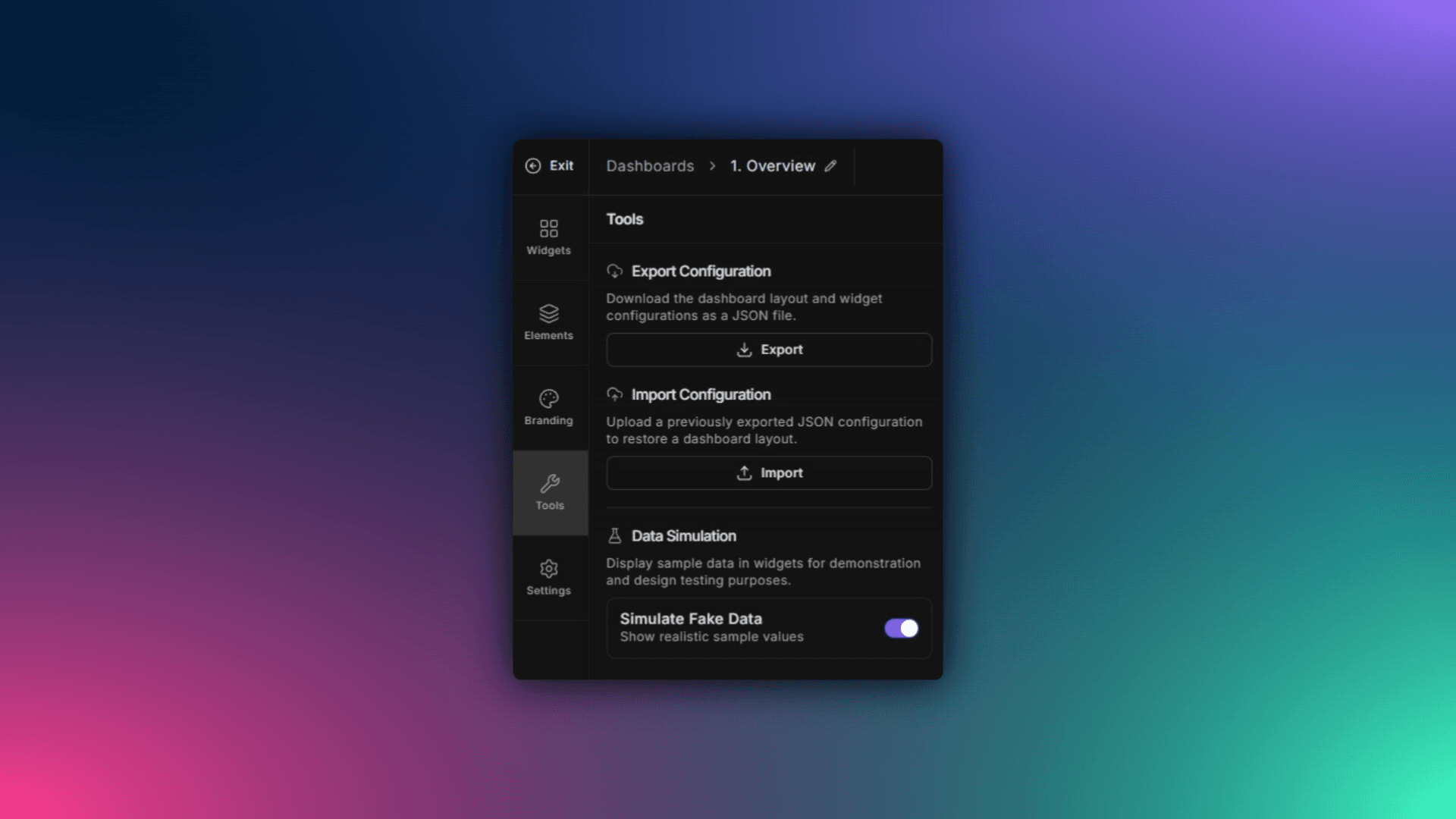
Preview Dashboards with Simulated Data in ControlCom Connect
What's New ControlCom Connect now lets you simulate data on any dashboard, even when your variables have no live values. You can see exactly how your final design will look with realistic data flowing through charts, gauges, and widgets...
December 26, 2025
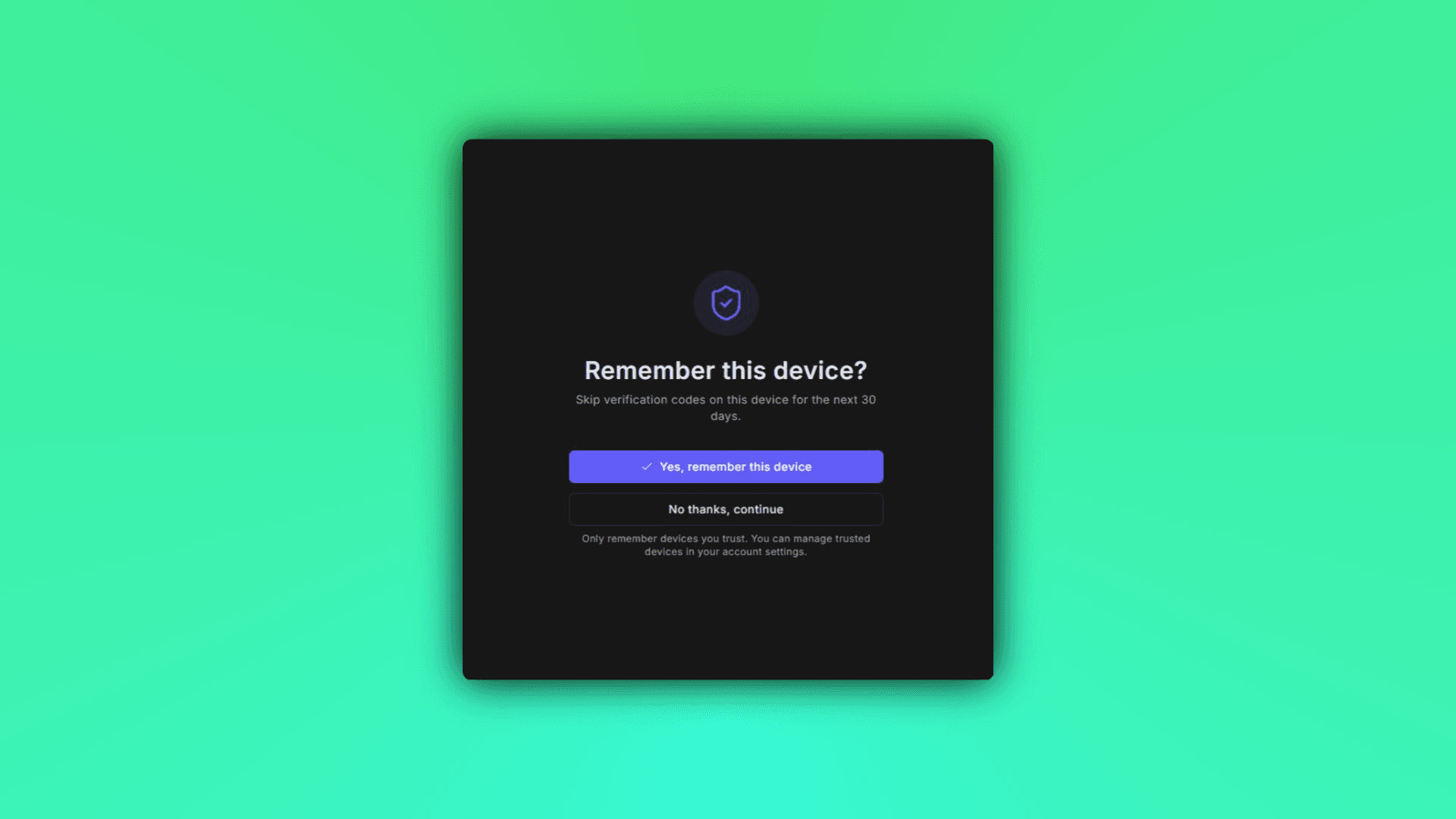
Skip Repeated MFA Prompts with Trusted Devices
What's New ControlCom Connect now lets you trust devices for multi-factor authentication. Once you verify a device, you won't be prompted for an MFA code every time you log in from that same browser or machine. This is especially useful...
December 17, 2025
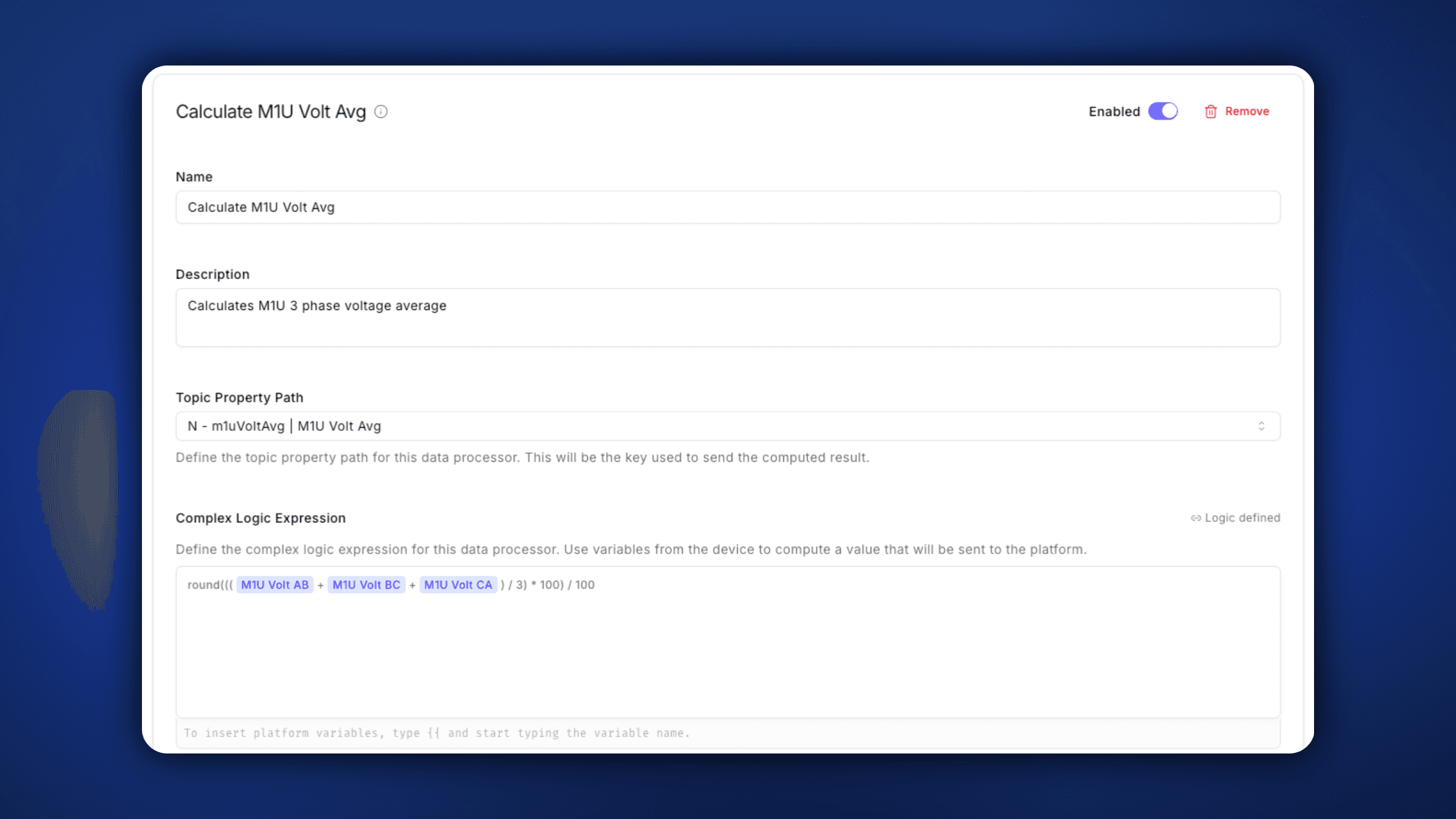
Data Processors: Complex Logic at the Edge
The new Data Processors feature brings powerful real-time computation capabilities directly to the ControlCom Edge Server, version 2.7.0 Value Transforms modify incoming sensor data on-the-fly using mathematical expressions before...
December 10, 2025
ControlCom Connect Now Open to Developers and Integrators
Build custom integrations, dashboards, and automation on ControlCom Connect. Public access now available for developers and integrators. Build What Your Customers Actually Need ControlCom Connect is now open to developers and integrators...
Read moreDecember 1, 2025
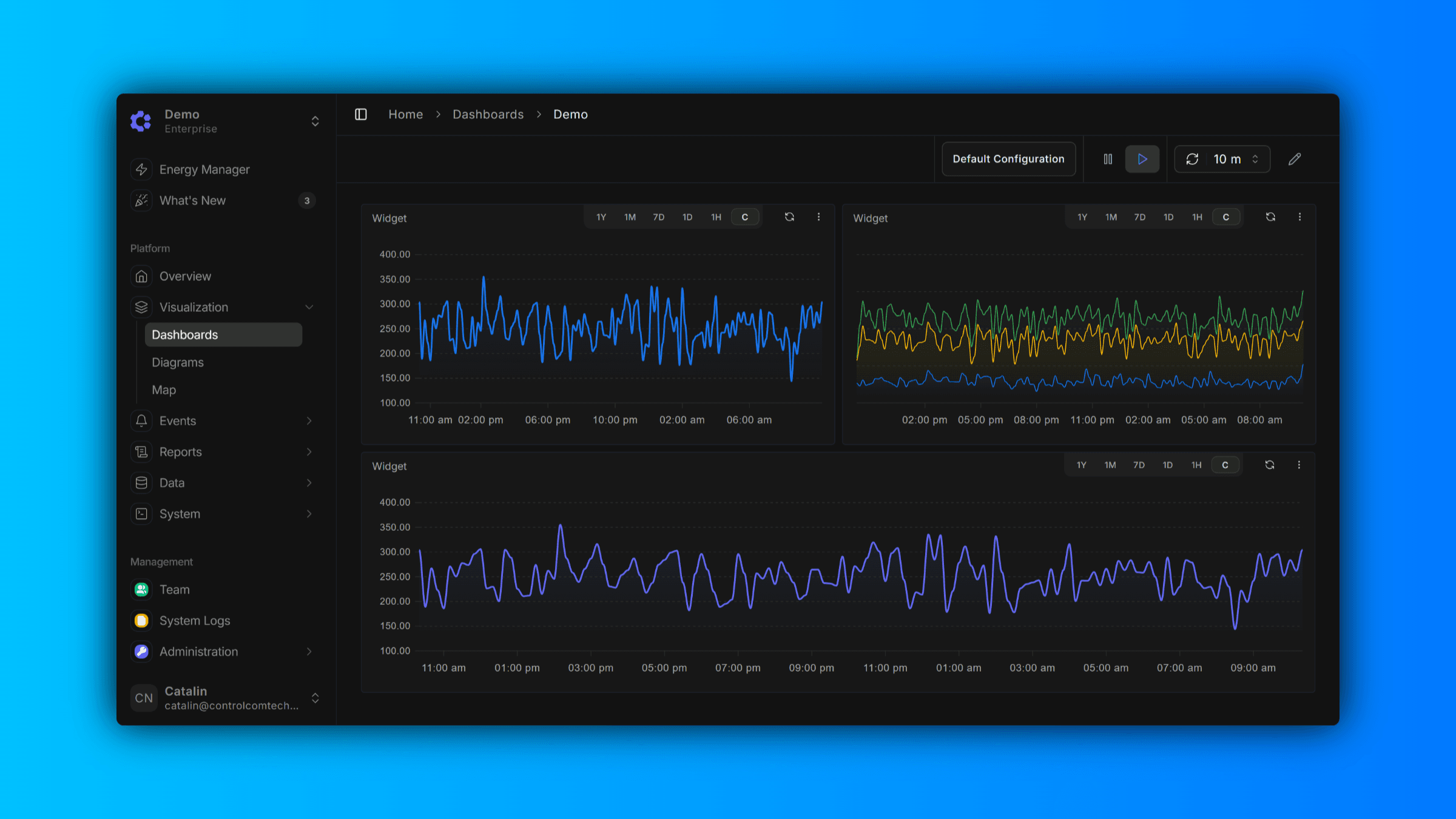
Enhanced Dark Mode With Higher Contrast
We've given Dark Mode a fresh new look. Based on user feedback, we've moved away from our previous muted color palette to a higher-contrast theme designed for improved legibility and reduced eye strain. Whether you're looking at dashboards...
November 24, 2025
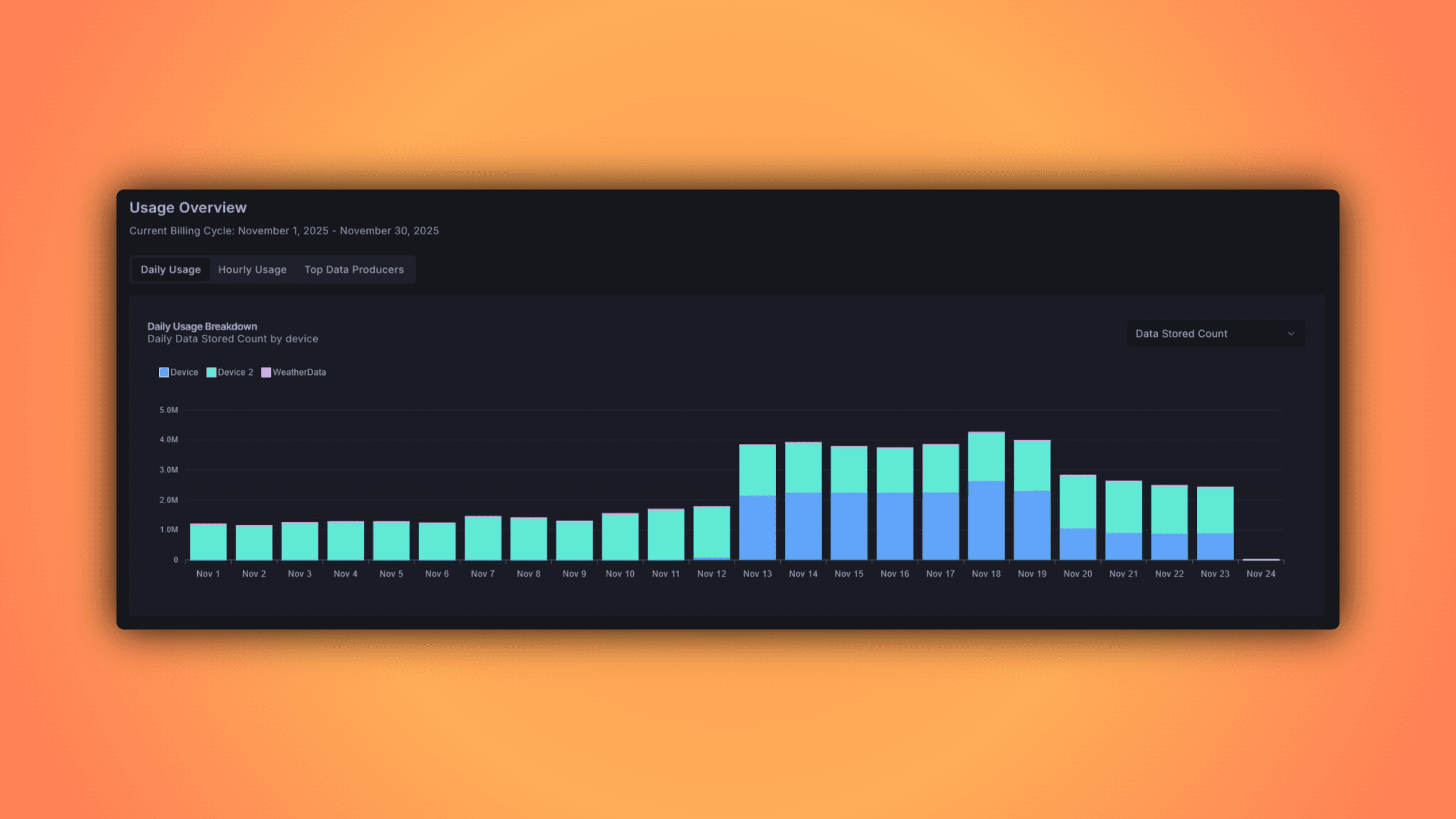
Billing Explorer
The Billing Explorer provides a comprehensive view of your usage metrics and associated costs, allowing you to monitor which variables are being tracked and consumed across your account. Data is aggregated on an hourly basis, giving you...
November 17, 2025
Audit Trail for Pro & Enterprise
Track every change to your organization's resources with our new audit trail feature—perfect for security compliance, internal audits, and maintaining visibility across your team's actions.
Read moreNovember 12, 2025
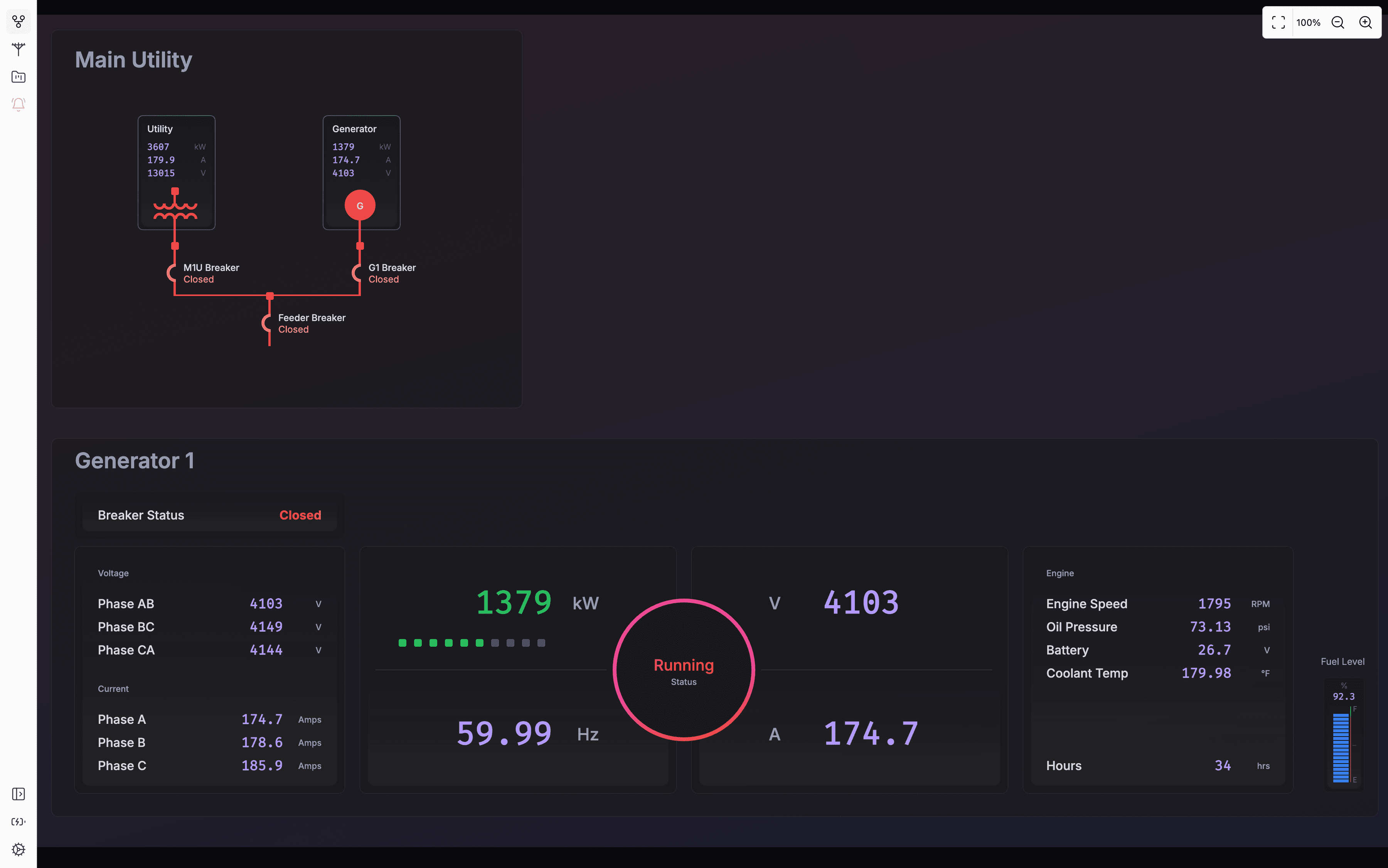
Edge HMI Auto Refreshes - 1.3.6
Version 1.3.6 The Edge HMI now has the capability to dynamically refresh its view if there was a diagram or dashboard change on the ControlCom Connect platform. All it requires is for the Edge Server to be restarted to pull latest changes...
November 11, 2025
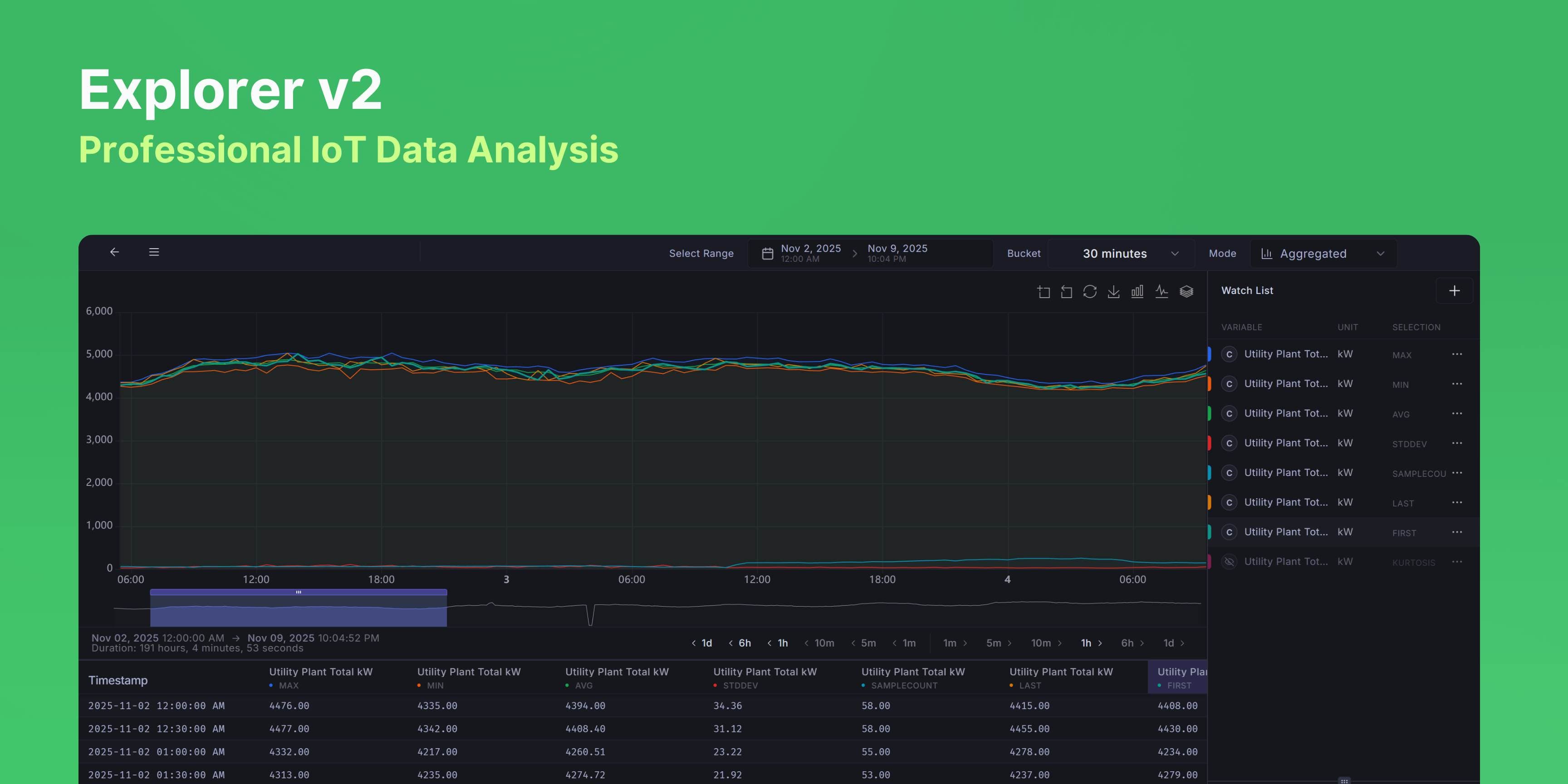
Explorer v2, Professional IoT Time-Series Data Analysis
Overview Explorer v2 is a professional-grade time-series data visualization and analysis tool designed for IoT device monitoring and operations. It provides real-time and historical data exploration with advanced statistical analysis...
November 7, 2025
Diagram Editor - History Retention
Diagram editor now keeps your edit history. Undo and redo your changes without losing work. Useful when you're making lots of small adjustments and want to revert without manually fixing everything.
Read moreNovember 5, 2025
SMS Two-Factor Authentication Now Available
Users can now enable SMS-based two-factor authentication (2FA) to add an extra layer of security to their accounts.
Read more