Build Dashboards Faster With the AI Dashboard Builder
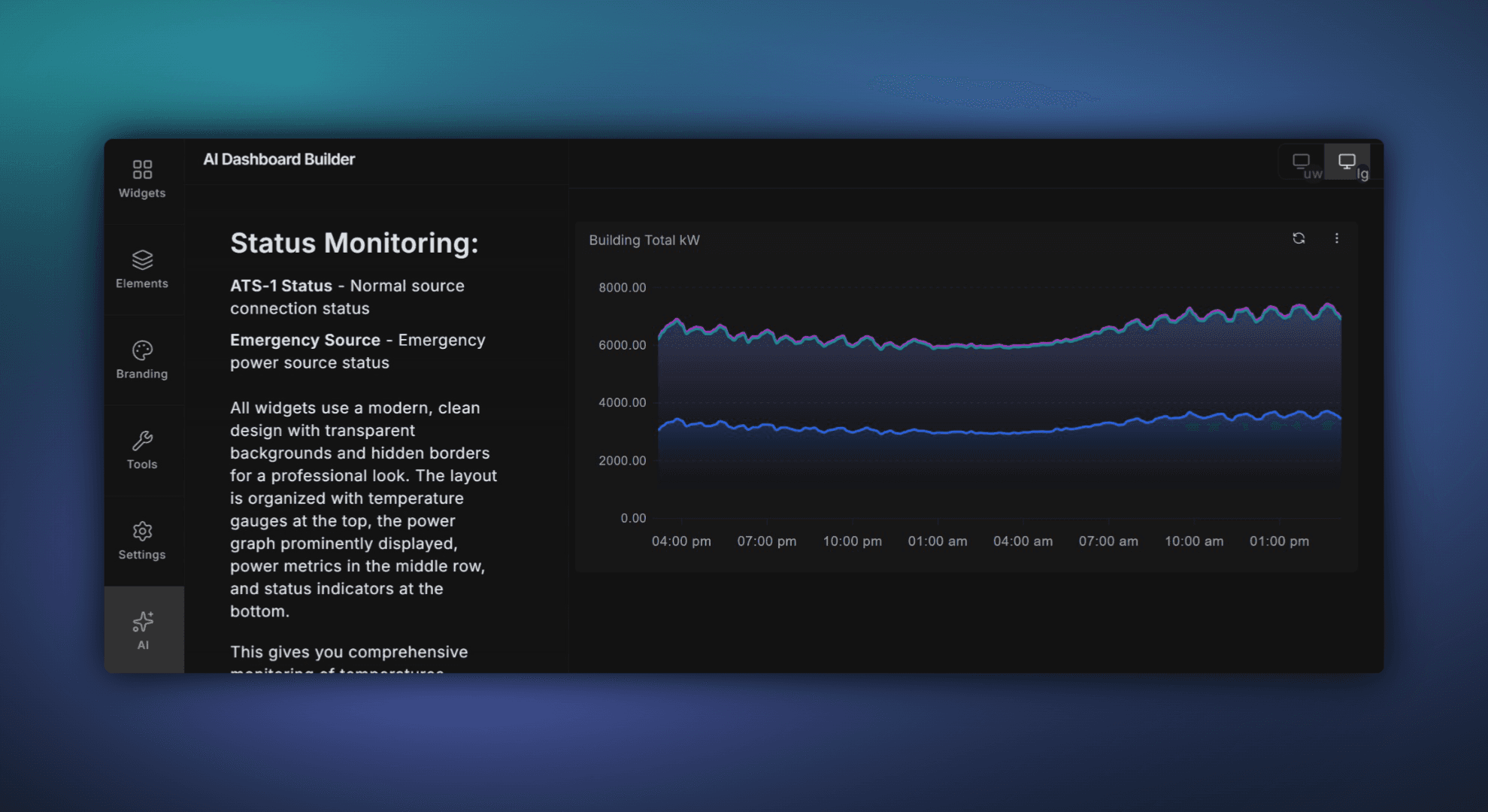
Build Dashboards Faster with ControlCom Connect's AI Dashboard Builder
Building dashboards in ControlCom Connect just got a whole lot faster. The new AI Dashboard Builder lets you describe what you want to see — in plain language — and turns it into a working dashboard. It searches your assets, finds the right variables, and lays everything out for you. A few questions, a click, and you're done.
What It Does
Instead of manually searching for data points and dragging widgets onto a canvas, the AI Dashboard Builder handles the heavy lifting. Tell it something like "Show me pump station pressure and flow for the last 24 hours" and it will:
Search your connected assets and find the matching variables automatically
Suggest the right widget types (gauges, trends, tables) based on the data
Build a ready-to-use dashboard layout you can review and customize
Ask follow-up questions if it needs to narrow things down
It works with any asset or variable already in your ControlCom Connect environment — PLCs, SCADA systems, remote I/O, sensors, and everything in between.
Who It's For
This feature is designed for two groups that spend the most time building dashboards: integrators setting up client systems, and plant managers who need custom views for their teams. Whether you're configuring dashboards across dozens of sites or building a morning overview screen for your operators, the AI Dashboard Builder saves you time.
Works Across Industries
The AI Dashboard Builder works with any data already flowing into ControlCom Connect. That means it's ready for the verticals you work in today:
Water & Wastewater: Build operator screens for lift stations, treatment plants, and distribution systems in minutes.
Manufacturing: Get production line dashboards up without waiting on engineering to configure every tag.
Commercial & Industrial: Create building system overviews that pull from HVAC, power, and BMS data sources.
Healthcare: Set up facility monitoring views that track critical environment variables across floors or campuses.
OEM: Build standard dashboards for deployed equipment and customize them per customer.
How to Get Started
The AI Dashboard Builder is available now in ControlCom Connect. To try it out:
Open any project in ControlCom Connect
Click "New Dashboard" and select the AI Dashboard Builder option
Describe what you want to see
Review, adjust, and save
That's it. No training required. If you can describe what you need, you can build it.