Ownership
Nobody knows who has the alarm
An alarm fires, three people see it, and each assumes someone else is on it. Without assignment and acknowledgement recorded on the event, coverage is a guess, and the misses surface at the worst time.
Real-time operations monitoring software watches live readings from the equipment a team is responsible for and raises an alarm the moment a value crosses a threshold. Instead of an operator polling screens, the platform evaluates every reading as it arrives, records an event with the value that caused it, and notifies the people subscribed to that alarm.
ControlCom Connect is that monitoring layer for multi-site operations. Every alarm carries a severity from Info to Critical, every event shows who is assigned and whether it has been acknowledged, and notes written against an alarm stay with it, so the next shift inherits the context instead of restarting the diagnosis.
Shift change becomes a ten-minute read instead of a verbal download. The incoming operator opens the Alarms page, filters to the groups their shift owns, and reads the event notes the night crew left on each open alarm: what was tried, what was ruled out, who was called. The four summary cards say what is critical, what is still unacknowledged, and what has nobody assigned, and the Map confirms which sites are clean before the first radio call of the morning.
On site, the ControlCom Edge Server reads your controllers directly, buffers data locally, and keeps local views and alarms alive through a WAN outage, so a dropped connection never means a blind site.
Most operations teams are not short of data. They are short of one place where alarms, ownership, and site status line up.
An alarm fires, three people see it, and each assumes someone else is on it. Without assignment and acknowledgement recorded on the event, coverage is a guess, and the misses surface at the worst time.
What was tried, what was ruled out, and who was called lives in a notebook or someone's head. The incoming shift starts the diagnosis from zero on a fault the last crew already understood.
Unmanned sites get checked by drive-out or by whoever happens to call. A fault that starts on Friday night is found Monday morning, after it has cost product, runtime hours, or a service commitment. The pattern is the same from production plants to remote well pads.
Detection, ownership, and routing in one system, so an incident moves from raised to resolved without a status meeting.
The Alarms page lists every alarm currently on, with its severity, the asset and location behind it, who is handling it, and how often it has fired this month. Four summary cards keep score: critical and warning counts, alarms awaiting acknowledgement, alarms with nobody assigned, and events in the last 24 hours. Those occurrence counts double as maintenance evidence, feeding the same record the equipment performance work runs on.
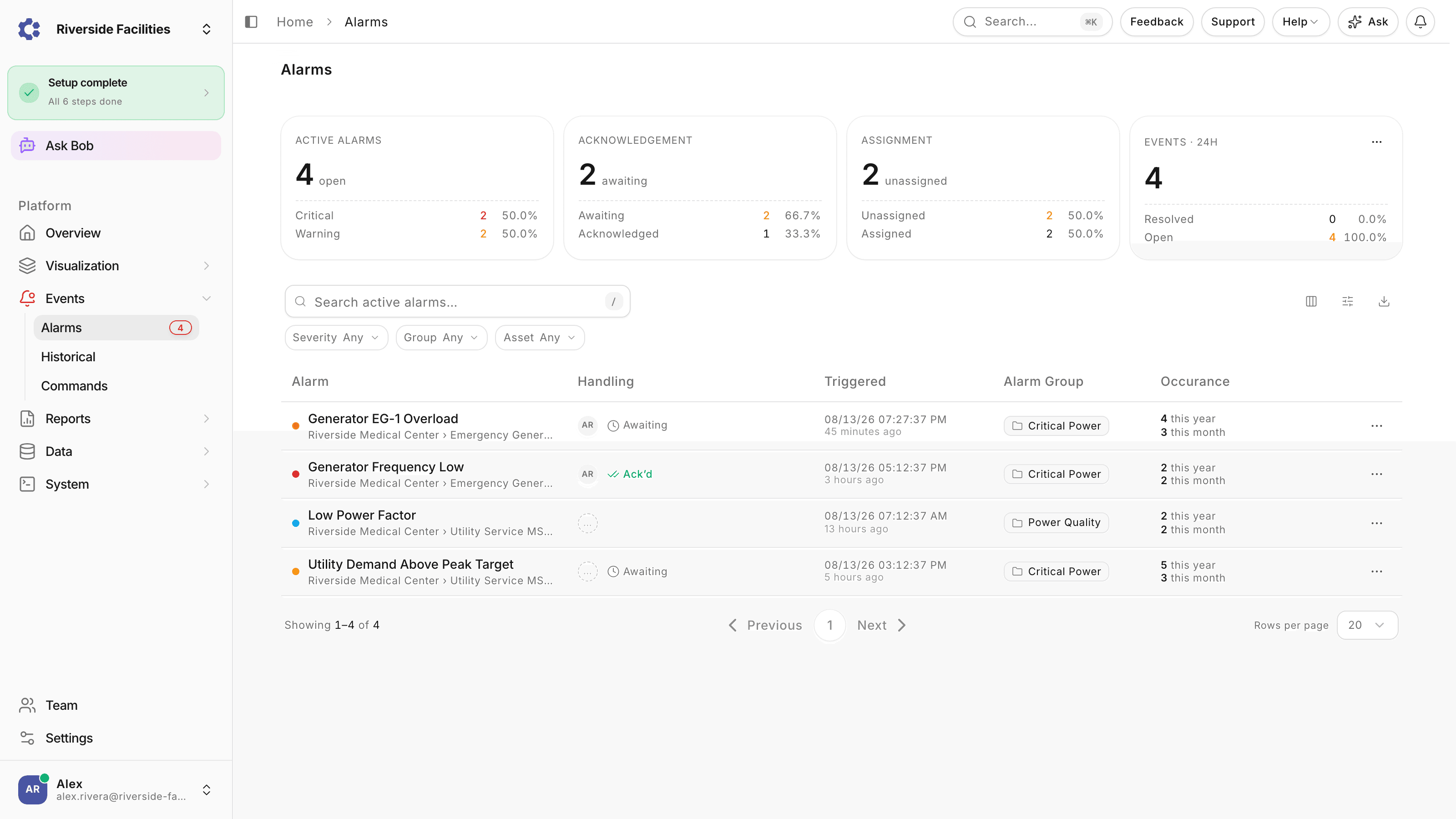
Alarm groups decide who gets told about what. Each group enables SMS, email, or push notifications, and each person subscribes per channel, so a critical power group can page the on-call engineer by SMS while routine mechanical alarms only send email.
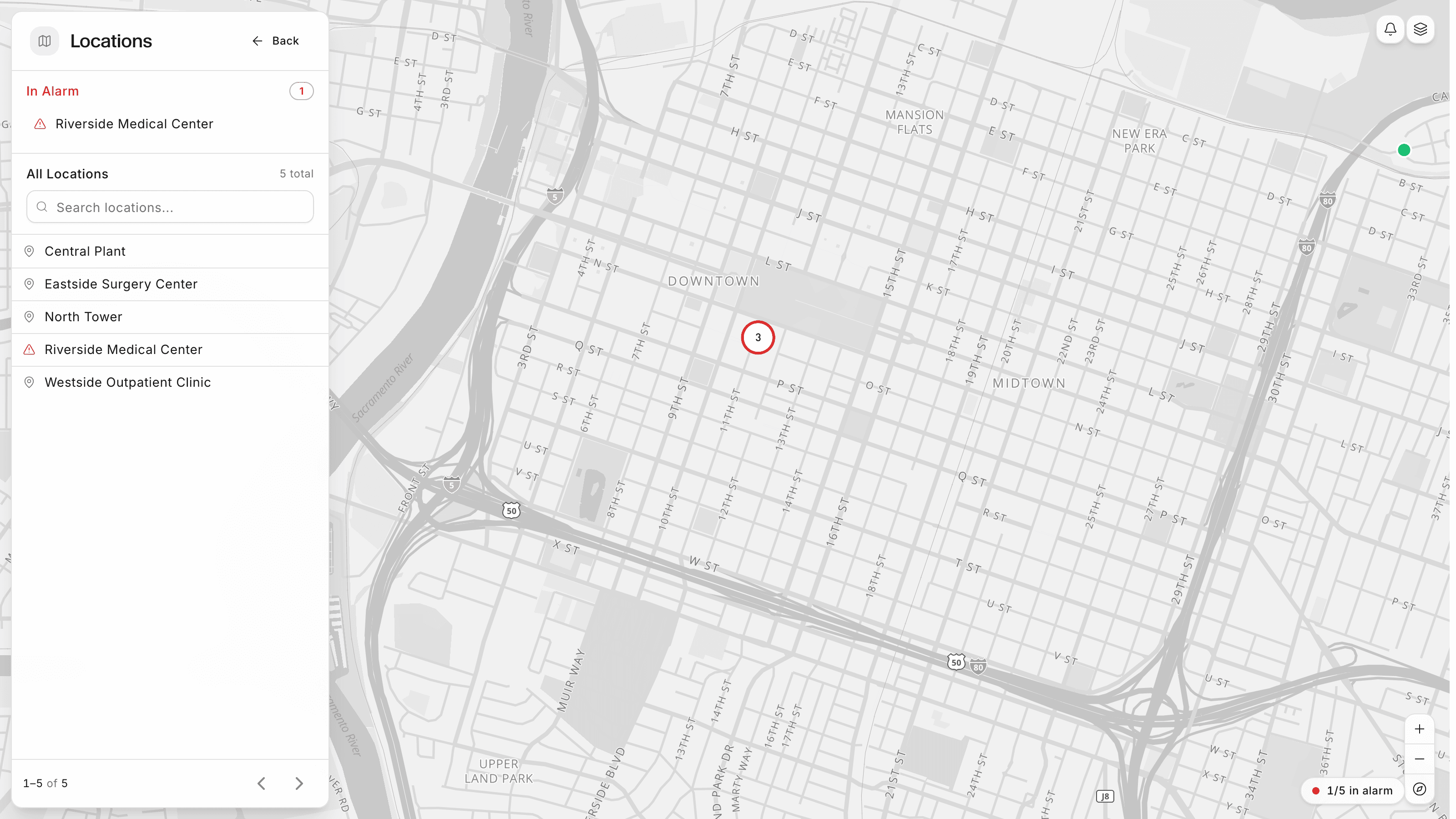
The Map plots every location in your organization and turns a site red the moment any of its equipment is in alarm, with an In Alarm list on top. Click a site to see its active alarms and live readings without leaving the page, or jump to the dashboard your shift starts the day on. When the WAN drops, the on-site Edge Server keeps local views and alarms alive and buffers data until the link returns.
A pump high-temperature alarm at an unmanned lift station crosses its threshold. The five-minute processing delay absorbs the start-up spike, the value stays high, and the on-call operator gets the SMS at 11:45. She acknowledges from home, which puts her name and the time on the event, checks the site's live readings, and leaves one note: suction pressure low, likely partial blockage, throttled to the standby pump, watch it over the weekend. The Saturday and Sunday shifts read that note on the same event instead of re-diagnosing, and on Monday the supervisor pulls the full filtered record from Alarm History for the review: every trigger, value, duration and notification in one CSV. Unplanned truck rolls for the weekend: one.
The plain answer to the first question in any evaluation.
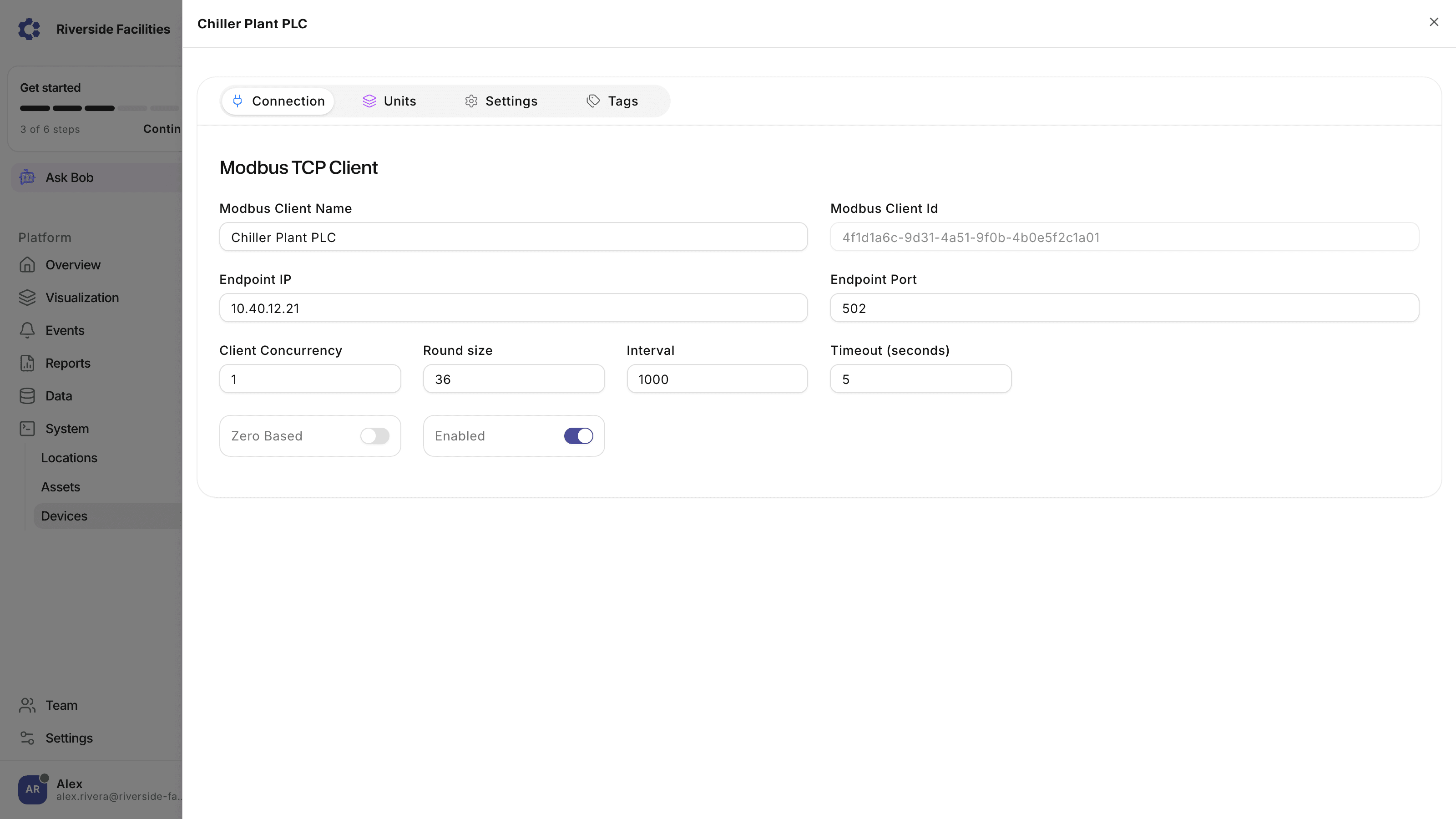
The ControlCom Edge Server runs as a container on hardware at your site and reads controllers over Modbus TCP/RTU, OPC-UA, BACnet, EtherNet/IP, and MQTT. It sits alongside your existing PLCs, BMS, and SCADA rather than replacing them, and ControlCom Connect becomes the monitoring and alarm layer across all of them.
Real questions from teams evaluating alarm management and monitoring software.
Each alarm event page carries an Acknowledge action that records who accepted the alarm and when, creating a time-stamped record rather than a checkbox. Acknowledgement appears only while the event is still active and only on alarms that have Enable Acknowledgement switched on; a cleared event cannot be acknowledged after the fact, which keeps the record honest about whether anyone responded while it mattered. Assignment is tracked separately, so the team can distinguish who is working an event from who has formally accepted it, and the rest of the shift filters by assignment to see what is already covered. The Alarms page keeps score across both: one summary card counts events still awaiting acknowledgement and another counts events with nobody assigned, so gaps in coverage are numbers on a screen instead of a surprise at handover.
Where operations monitoring goes next on this site.
Generator runtime, fuel telemetry, and ATS health for sites that carry their own load around the clock.
Multi-site temperature and door alarms, on-call routing, and per-store views for distributed operations.
Runtime, occurrence counts, and anomaly detection on the assets the shift depends on.
One view across BMS, generators, refrigeration, and life-safety systems for the people who own the building.
How hosted SCADA works, what stays at the site, and how it differs from a server in the control room.
How the edge kept collecting and no data was lost during a 15-hour AWS outage.
Book a 30-minute demo with engineers who have run the floor, and see how alarms, acknowledgement, and remote sites look on your own equipment.