Bulk Variable Replacement and a New Text Widget
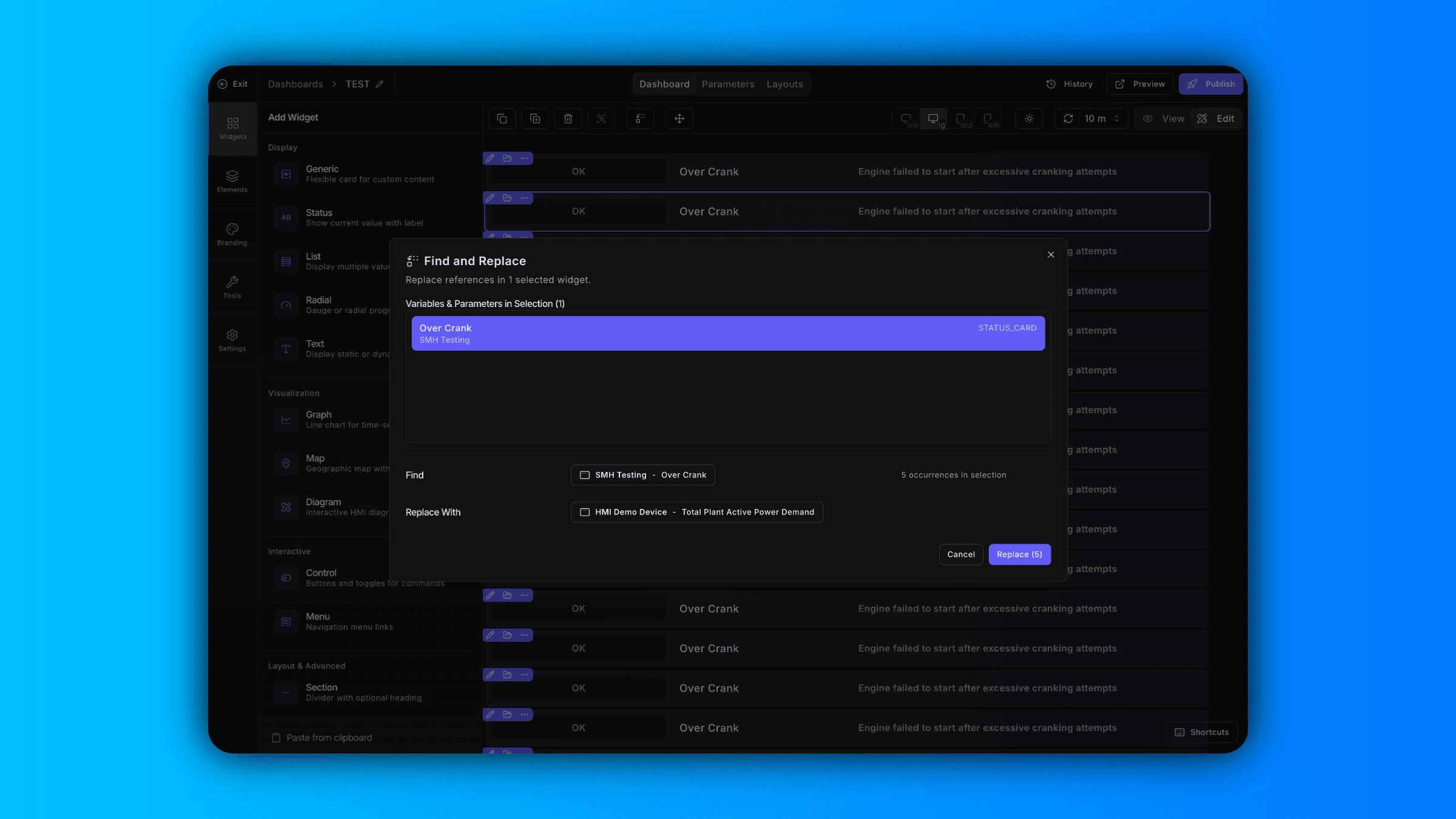
Find and Replace Variables Across Your Dashboard
Updating variables one widget at a time slows you down. Now in ControlCom Connect, you can find and replace variables in bulk directly from the dashboard editor.
Select specific widgets to update just what you need, or select the entire dashboard to swap variables across every widget at once. This is especially useful when you're cloning dashboards for new sites, reassigning tags after a PLC migration, or standardizing naming conventions across your facility.
What used to take 20 clicks now takes two.
New Text Widget for Static or Dynamic Content
The dashboard editor now includes a text widget that renders static text or pulls dynamic values from a variable.
Use it to add section headers, display real-time status messages, show calculated values, or label dashboard regions for clearer navigation. Integrators can build more informative dashboards without workarounds, and plant managers get dashboards that communicate context—not just data.
Keyboard Shortcuts Now in the Menu
Every keyboard shortcut is now available as a button in the editor menu. If you prefer clicking over key combos—or just need a reminder of what's available—it's all visible and accessible in one place.