Custom Branding: Sidebar Colors and Logo Uploads
What's New
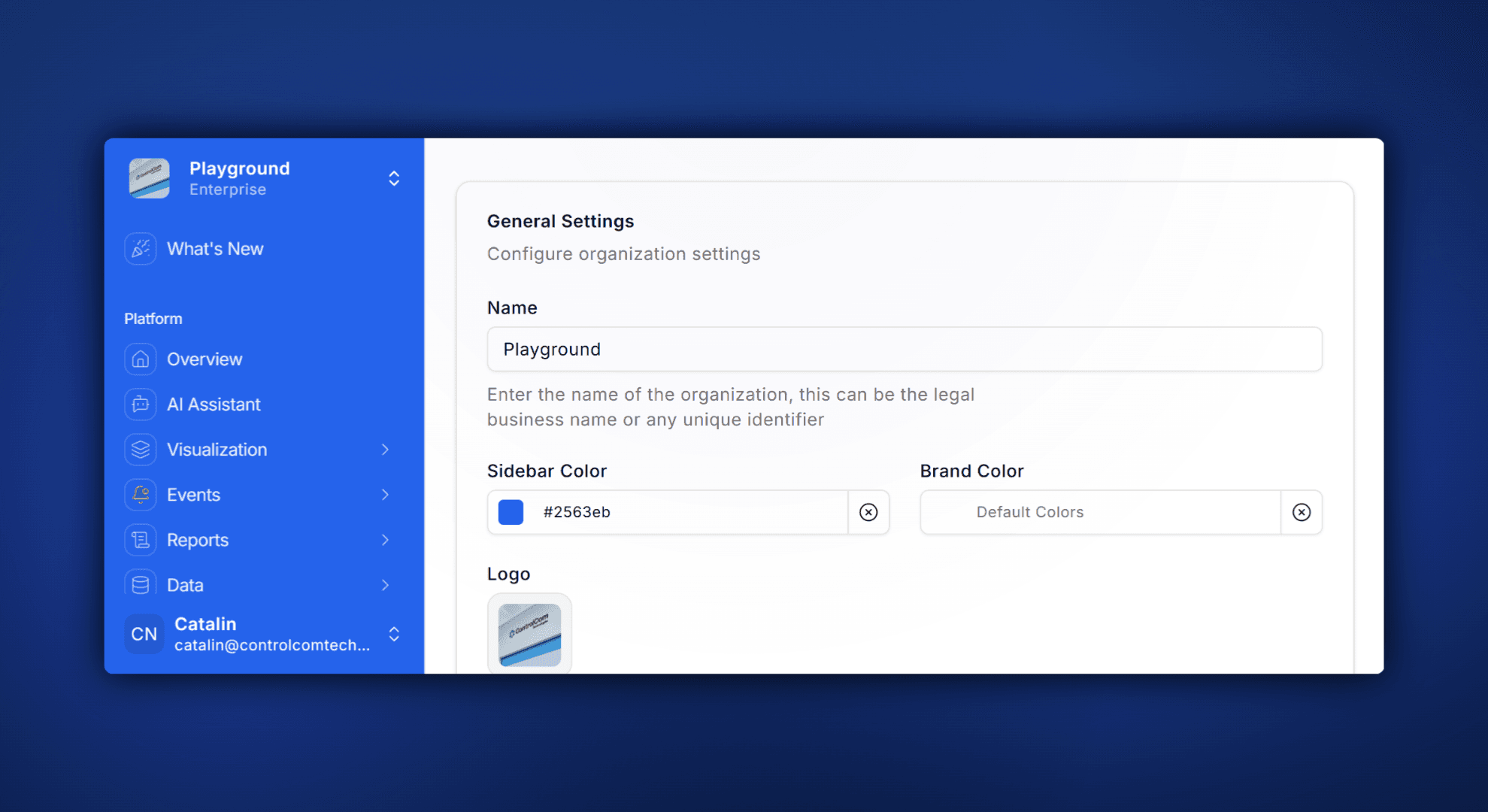
ControlCom Connect now lets you put your own brand on the platform. Upload a custom logo, pick your sidebar color, and give your team (or your customers) a monitoring experience that looks and feels like yours.
This is especially useful for OEMs and integrators who white-label their monitoring setup. Instead of a generic interface, your operators and clients see your brand every time they log in.
What You Can Customize
Logo: Upload your company logo to replace the default in the sidebar and login screen.
Sidebar Color: Match your sidebar to your brand palette with a simple color picker.
Consistent Experience: Your branding carries across the platform, so everything feels intentional and professional.
Why It Matters
For integrators managing multiple client accounts, branded dashboards build trust and reduce confusion. For plant managers, it's one less thing that feels like an outside tool — and one more thing that feels like part of the operation.
No code, no support tickets. Just head to Settings → Branding and make it yours.