Power Quality Events
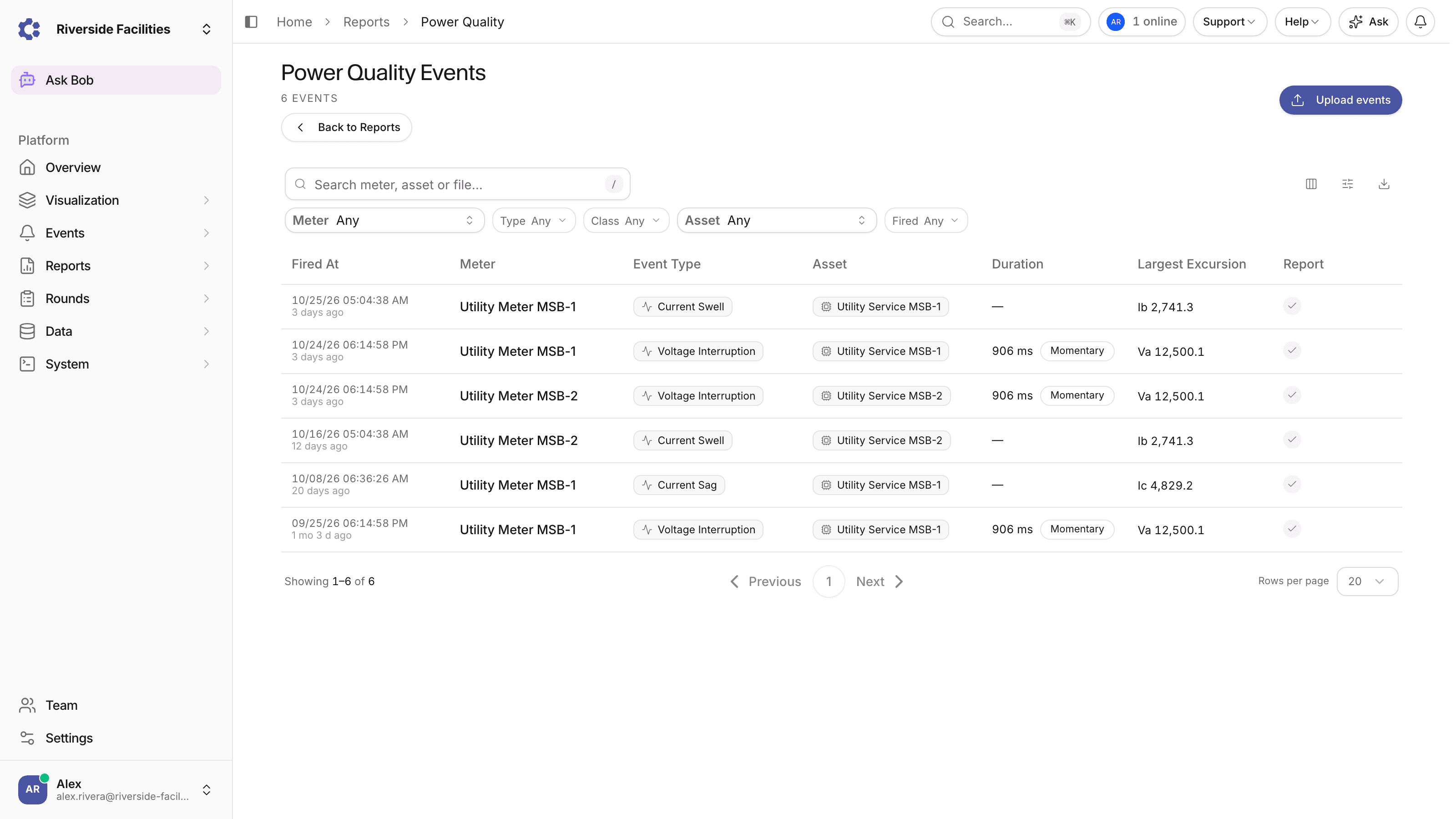
Description
ControlCom Connect now keeps every power quality event your Revenue Grade Meters capture: voltage sags, swells and interruptions, current inrush, sags and swells, transients and frequency excursions. Each capture becomes a searchable event with the recorded waveform, the half-cycle RMS trend drawn against the trigger threshold, statistics for every phase, the original COMTRADE files and a generated PDF report.
Every disturbance in one list
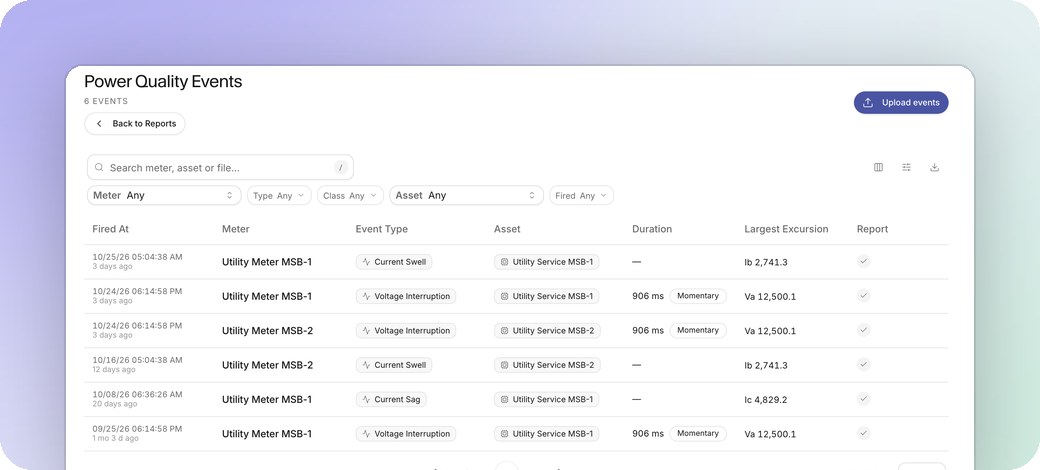
Open Reports → Domain Specific and click View Events on the Power Quality Events card. Every event in your Organization is listed newest first with its trigger time, meter, event type, asset, measured duration and the phase with the largest excursion.
- Filter by meter, event type, duration class, asset and date range, or search by meter, asset or source file name
- Export the current page to CSV, including the source file name
- Step through one meter's events in time order with Older and Newer
Duration and depth measured from the waveform
The platform computes a one-cycle RMS along the capture for each phase the meter flagged and measures how long it stayed outside the IEEE 1159 band: below 90% of the pre-trigger RMS for a sag, above 110% for a swell or inrush, below 10% for an interruption. Voltage events also get their IEEE 1159 duration class (Instantaneous, Momentary, Temporary or Sustained) as a badge on the list and a filter. When a disturbance runs past the end of the capture, the duration is shown as a lower bound rather than a guess.
Reading an event
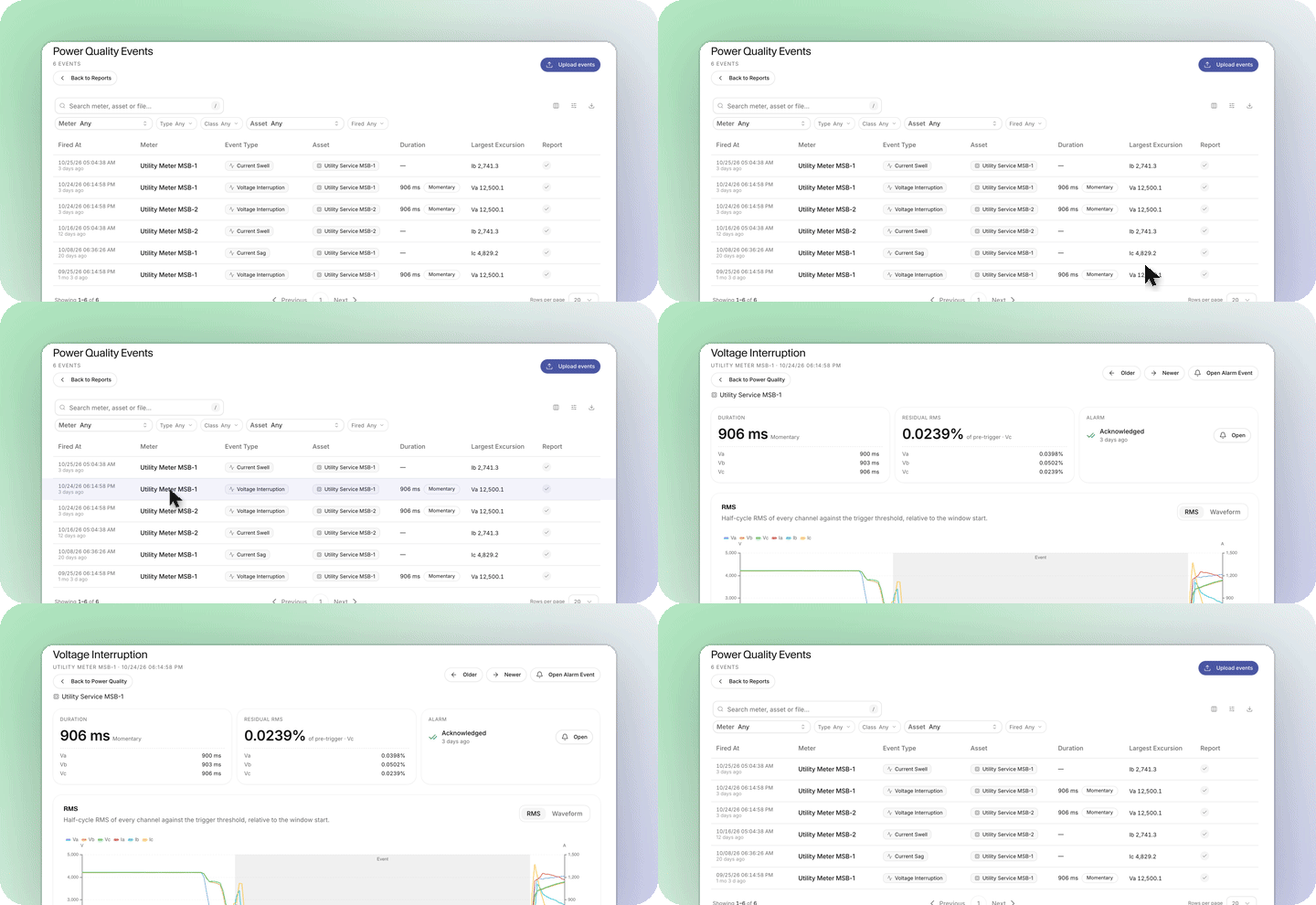
The event page answers the questions an engineer asks first: how long, how deep, which phase, and whether anyone has handled it.
- Duration, Residual RMS (or Peak RMS for swells and inrush) and Alarm cards lead the page, each listing every measured phase
- The RMS view plots every channel against time with dashed threshold lines and the measured disturbance shaded. Waveform switches to the sampled voltages and currents. Hover for values, drag to zoom
- Channel statistics gives the pre-trigger, minimum and maximum RMS, the residual and the duration for every phase, with the plain sample statistics one toggle away
- Download the raw CSV, the COMTRADE waveform and the PDF report from the Files card
Set up with a form, not code
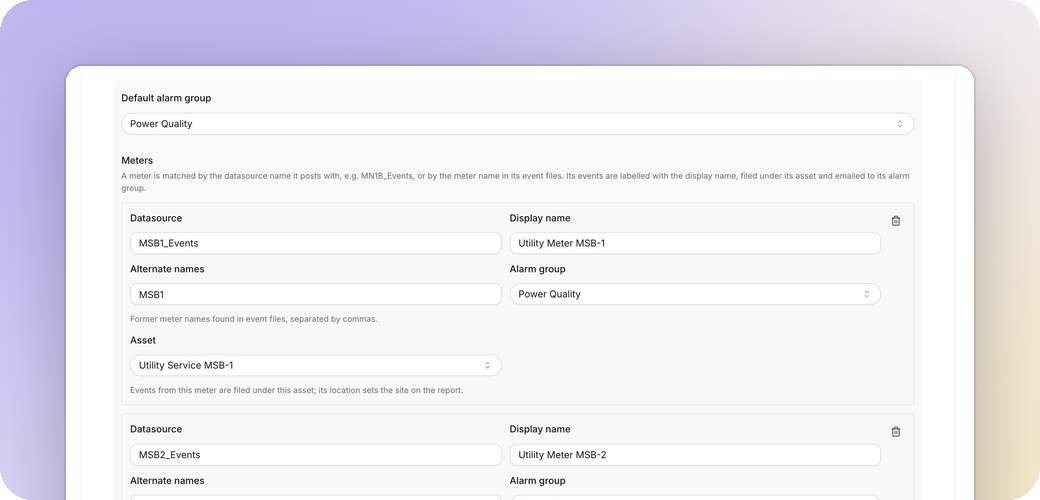
A new pipeline type for Revenue Grade Meter event reports receives the meter uploads. Under Settings → Pipelines, create one, add a card for each meter with its datasource, display name, alarm group and asset, and point the meter at the pipeline endpoint. There is no pipeline code to write.
When an event archive arrives, the platform parses the waveform, renders the PDF report, records an alarm event in Alarm History and emails the meter's alarm group with the report attached. Acknowledging that alarm is reflected on the event page.
Backfill events by hand
A meter that was offline during an event, or captures exported from the meter's own web interface, can be sent through the same pipeline with Upload events. Each file gets the same row, report and alarm event as a meter upload. Turn off the email for a backfill so the alarm group is not emailed once per file.
Also in this update
- The Weekly Digest adds a Power Quality section for weeks with events: counts by type and the meters that recorded the most
- The AI Assistant answers questions like "did we have a sag last night?" with the matching events, their duration, class and residual RMS, and a link to each event page
- A row in Alarm History raised by a meter upload opens the power quality event it belongs to
Power Quality Events is part of Domain Specific reports and appears for Organizations with the advanced reports feature enabled. The full guide is in the documentation.